List and inspect ordered sessions.
list_capture_sets and get_capture_set expose manifest metadata, capture order, sizes, and checksums.
Local stdio or Pro HTTPS · explicit handoff · read-only tools
Open setup guide ↗Choose a local stdio server that reads an approved workspace, or Direct MCP over authenticated HTTPS for Pro. Both paths expose ordered images and bounded webpage context through the same read-only tool surface—not general browser control.
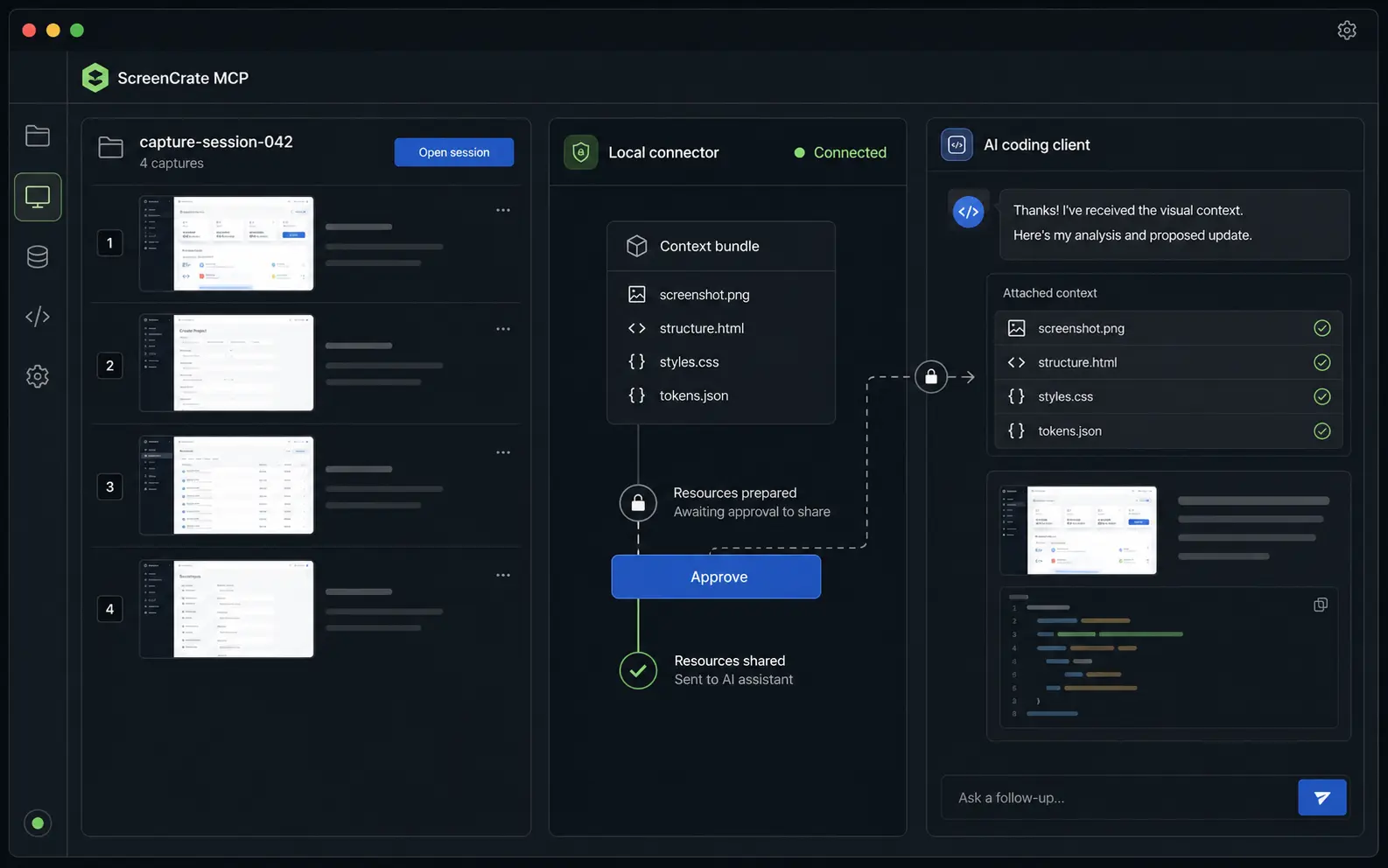
TWO EXPLICIT HANDOFF PATHS
Neither server exposes an open-ended filesystem or browser-automation command. Each tool returns a bounded part of a validated Framnova capture bundle.
list_capture_sets and get_capture_set expose manifest metadata, capture order, sizes, and checksums.
get_capture_image validates the path, file signature, declared MIME type, checksum, and configured bounds.
get_element_context, get_design_tokens, and get_assets return only data present in the approved bundle.
export_component returns sanitized, size-limited export material already contained in the bundle; the server does not execute generated code.
Local MCP uses an explicit folder export and a Node-based stdio process. Direct MCP uses the extension’s explicit Sync action, private token-scoped storage, and authenticated Streamable HTTP. Capture alone starts neither handoff.
{
  "captureSet": "design-review",
  "images": 6,
  "context": "selected-element",
  "workspace": "approved",
  "transport": "stdio | https"
}

shared tools:
  - list_capture_sets
  - get_capture_image
  - get_element_context
- get_design_tokensBoth paths validate manifests and declared files before returning them. The local server constrains paths to an approved root; Direct MCP constrains every request to the capture sets authorized by one bearer token.
A Node process reads valid bundles inside one approved Framnova workspace. It does not upload them.
The extension uploads only after explicit Sync, and clients authenticate to https://mcp.framnova.com/mcp with the same Pro token.
This is a screenshot-context MCP server, not a generic browser MCP for navigation, clicking, or form submission.
The current Direct MCP path uses bearer authentication. Claude Desktop’s remote connector path requires a separate OAuth implementation.
No. MCP clients can request registered tools and resources. Browser-chat attachments use separate extension adapters and still require user review.
No. It reads approved Framnova bundles. It does not navigate, click, type, submit forms, or control the browser.
Local MCP does not. Direct MCP uploads one approved set only after you choose Sync to Direct MCP. Your chosen client and model provider may have separate data policies, which you should review.
The local server currently runs from the repository build. Direct MCP does not require that local package; it uses the authenticated HTTPS endpoint.
Keep capture and MCP access separate, explicit, and inspectable. Choose local stdio for a folder on your machine or Direct MCP for one authenticated Pro connection.