ACTIVATE
Alt⇧S
Select any region.
Use a configurable shortcut and confirm only the relevant area of the current tab.
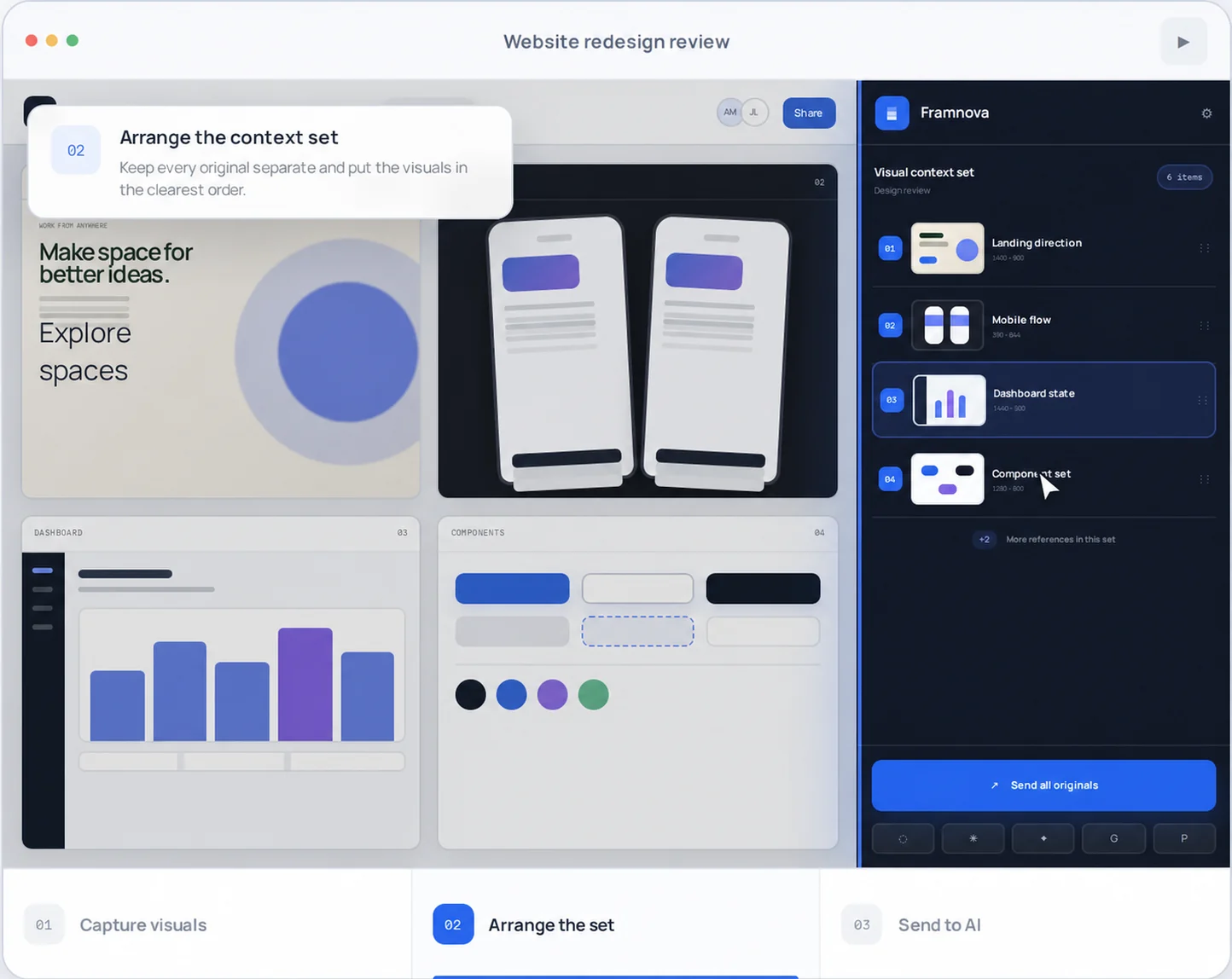
Capture related designs, UI states, web references, or evidence. Keep every original separate, arrange the set as a visual brief, and deliver it to your AI chat.
Designed for the AI tools you already use
Framnova turns scattered designs, references, and states into one set AI can understand as a single task. You choose each region and the order that explains the context best.
Use a configurable shortcut and confirm only the relevant area of the current tab.
Rename, reorder, or remove captures. Each stays as an independent original file.
Choose a supported destination and verify the attachments before you send. Nothing moves until you decide.
For design and frontend work, an image explains how it looks. Code Context also prepares the rendered DOM, computed styles, visual tokens, and asset references for the selected element.
Element capture, style preview, and site overview are free and local. Copying context for desktop AI, delivering it through Direct MCP, or exporting it to a local MCP workspace requires Pro. Live editing and full Tailwind, React, and Vue export UIs remain planned.
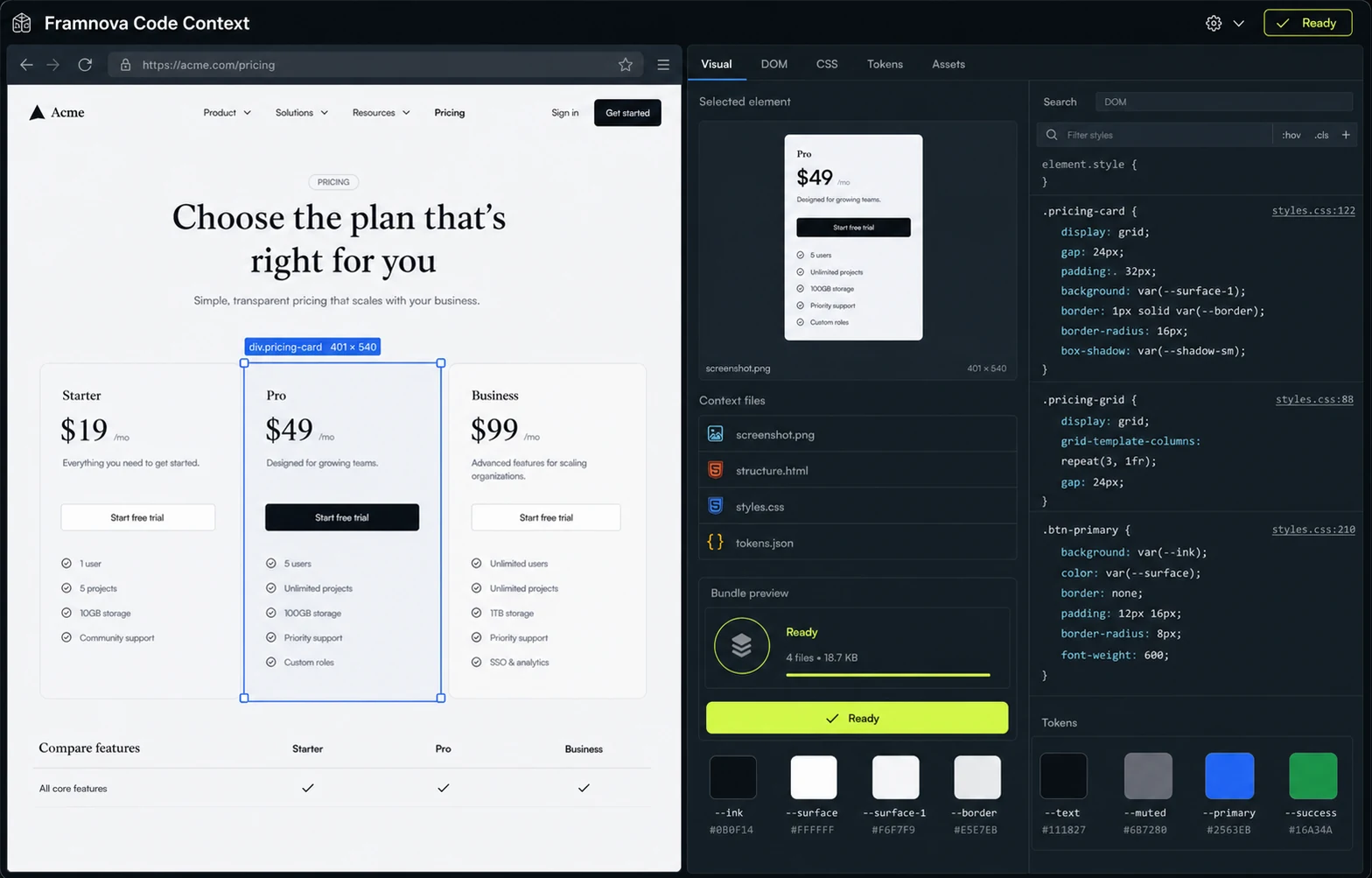
Separate original images in the exact capture order.
The originals plus sanitized rendered DOM; page text is omitted by default to reduce data exposure.
Images, structure, relevant CSS, design tokens, and asset references in one bundle.
Framnova is available on the Chrome Web Store. Chrome installs updates automatically and shows you any permission changes before you accept them.
Use the verified official listing—no manual package download is required.
Collect multiple captures, arrange them, and review the set before sending.
Sending screenshots to web AI chats is free. Direct MCP and local MCP export require Pro. Direct sync is manual by default; optional auto-sync runs only when you enable it.